
Scribe: Freiburg, scratch by scratch
Type a word and Scribe scratches it into splintered, layered lettering you can print, animate or lay over a picture.

FREIBURG in the Karoshirt alphabet, twenty layers deep at Opacity 0.6: Powder Petal on Dark Slate Grey. Cropped from the free 1,748 px PNG.
In graffiti, scribing means scratching a tag into glass or metal. The lettering it leaves is splintered: many thin lines where a marker would leave one. So what does a word look like if you scratch it twenty times over, each line a little off the last?
Scribe answers that for anything you type. Below is how the tag above got made: the idea in one diagram, four decisions in the order they happened, and the same tag laid over a stair set. Open this exact tag and change it as you read.
What Scribe does to one letter
I drew the Karoshirt alphabet in draw.io as connected lines, so each letter is a single line through a handful of points. Scribe builds a Voronoi cell around every point, then draws copies of the line, each one walked a little further than the last. Unless you raise Wander, no point ever leaves its own cell. I seeded the cells with the letter's own points so that a scratch can never travel far from the stroke it came from, which is what keeps a tag readable at high layer counts.

One letter, computed with Scribe's own code at its default settings. The copies in panel 3 bunch and fray, but every bend stays inside the cell walls drawn in panel 2.
How this one got made
Open scribe.krshi27.art, type FREIBURG into Text and press Render. Nothing draws until you press it.
The first render lands on Subway window, the default backdrop. That window is an image generated with Google Gemini, and the app says so under Sources and credits. For this tag, switch Background to Solid colour, choose Earth Tone Serenity under Quick palette, then click the dark slate swatch in the Background row and the pale pink one in the Stroke row. For a typed word, Solid colour is also the one mode that redraws the strokes at full size when a print is ordered; the other two scale the finished picture up.
Twenty layers fill the letters without closing them
Layers sets how many offset copies of each letter get scratched. At 3 you can count the lines. At 10, the default, the letters look worked over. At 20 every stroke carries a halo of near misses, and at 40 the middle letters close up into knots. Twenty stayed.

Same word, same seed, four layer counts. The pale share of the frame grows from 1.7 % at Layers 3 to 7.3 % at 40; watch the middle letters, which run together in the last strip.
Opacity 0.6 lets the layers show through
At Opacity 1.0 every copy is equally bright, so twenty of them read as one thick, flat line. At 0.6 a single stray stroke turns grey, while the places where several copies cross stay bright. The help line puts it this way: low values build up like layered scratches.

A 1:1 detail from the two renders. On the right the loose strokes fade and the crossings stay bright, so you can see how many copies passed each spot.
Three seeds, three different tags
Seed re-rolls the random walk and leaves every other setting alone. The letters of FREIBURG have four to seven points each, so a different walk bends the whole letter: the F sprawls sideways into the R under Seed 1 and kicks a long leg out to the left under Seed 2. Seed 0 kept the F upright, and it stayed.

Every setting identical except the seed. Follow the first letter down the three strips: the same seven points, three different walks.
A scatter sweep shows the alphabet underneath
Open Animate (GIF), tick Animate scatter, leave its range at 0 to 0.05 and press Render again. The GIF appears under the still, twenty frames played forward and back.
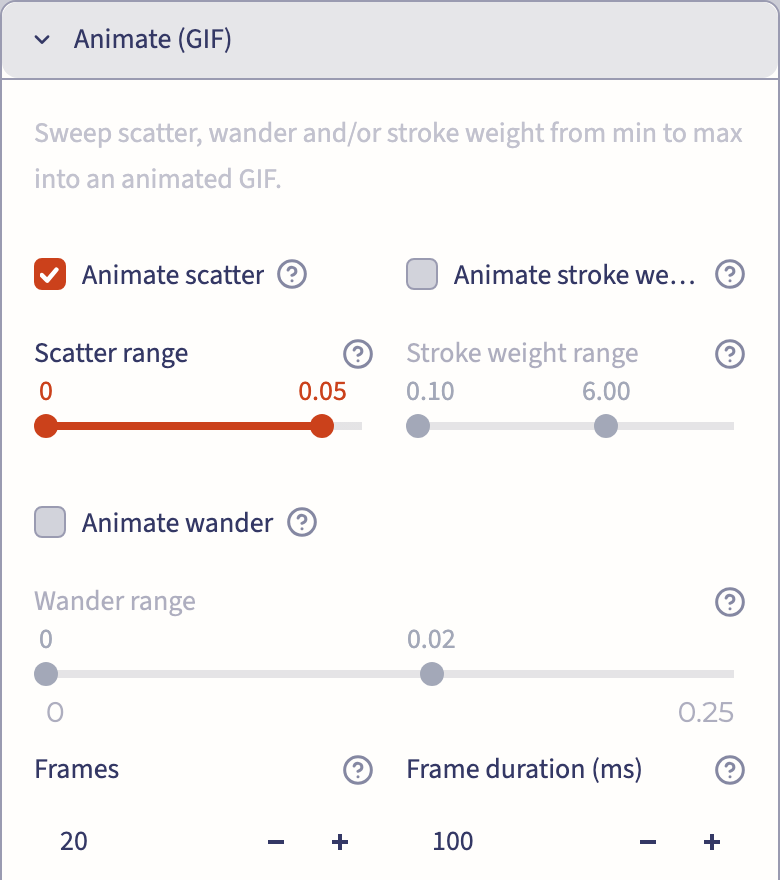
Only Scatter moves; the word, the layers and the seed stay where they are. For the loop below, Frame size went up from 384 to 640 px.

The first frame is Scatter 0, where every copy sits exactly on its letter: the Karoshirt alphabet with nothing done to it. 38 frames, 3.8 seconds a loop.
From screen to object
Under Downloads, tick the terms once and the buttons come alive: PNG for the still, and GIF once you have built one. The PNG is a 1,748 px square with a small signature in the corner, and the settings that made it are written into the file. Order a print of this creation sits underneath if you want the tag on paper.

Everything a visitor can take away from this tag: the still, the animation and the way to a print.
Other controls, one line each
Scatter sets how far each copy drifts from its letter.
Wander bends the copies away as whole lines, and high values send them across the canvas.
Stroke weight takes the scratch from hairlines to marker strokes.
Geometry source switched to SVG upload runs the lines of any SVG through the same treatment instead of a word.
Your turn
Open this exact tag, type your own name over FREIBURG and press Render. If you like where it goes, send me what you made; I'll ask before I show it anywhere. Next, Scribe a forest runs a Buntwald tree line through the same scratch.